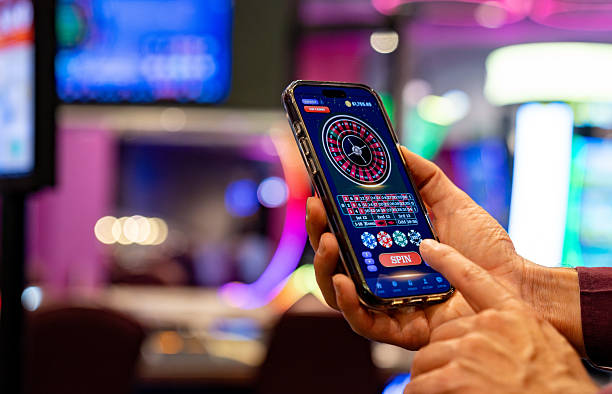
How to Access samson88 on Mobile
We provide three paths to samson88 on your mobile device: direct Android APK download, iOS browser access, or responsive web app on any modern phone. All three routes lead to the same account — your balance, betting history, and payment methods sync across devices in real time.
Android APK
Download and install our native app directly. Works on Android 7 and newer.
Download APKiOS Browser
Open samson88 in Safari or your browser. Fully responsive; no app store needed.
Open in Browser
Android APK Installation Steps
- Download the APK file: Visit samson88.vip on your Android phone and tap the download button. The APK file saves to your Downloads folder.
- Enable unknown sources: Open Settings → Apps & notifications → Special app access → Install unknown apps. Select your browser and toggle "Allow from this source."
- Install the app: Open your file manager, navigate to Downloads, and tap the samson88 APK file. Follow the on-screen prompts to install.
- Open and log in: Tap the samson88 icon on your home screen. Enter your username and password, or create a new account.
iOS Access via Browser
iOS users do not need to download an app. Open Safari or Chrome, visit samson88.vip, and log in to your account. Our mobile website is fully responsive and functions identically to the Android app. To add quick access, open Safari, tap the Share button, and select "Add to Home Screen." A samson88 shortcut appears on your home screen.
Mobile setup checklist
- Download APK on Android or open browser on iOS
- Create account or log in with existing credentials
- Verify email address via the link we send
- Make your first deposit via DANA, e-wallet, mobile banking, local payment, online payment, or bank transfer
- Enable push notifications for live market updates
App vs. Browser on samson88
Our Android APK and mobile browser deliver the same account experience, but with different strengths. The Android app offers offline caching — you can view your past bets and account history without an internet connection. Push notifications arrive faster on the native app, alerting you to live market changes in seconds. The app uses less data on repeat logins because it caches your session.
The mobile browser requires an internet connection but does not need installation or permissions. It works identically across Android and iOS. You receive the same real-time balance updates and can deposit via e-wallet, mobile banking, local payment, online payment, e-wallet, mobile banking, or local payment, online payment, e-wallet, mobile banking bank transfers. Choose the Android app for offline access and faster notifications; choose the browser for simplicity and cross-device compatibility.

Device Compatibility
samson88 works on Android 7 and newer. If your Android phone is older than version 7, we recommend using the mobile browser instead. On iOS, Safari and Chrome both support samson88 fully on iOS 12 and newer. We support both phone and tablet sizes; the interface adjusts automatically to your screen width. Our engineers test samson88 on common devices to ensure fast loading and smooth navigation, but we do not claim compatibility with every device variant.
Troubleshooting Common Installation Issues
If the APK does not install on Android, check that unknown sources are enabled in Settings. Some phones block APK installation by default for security. If installation fails halfway, delete the file from Downloads and download again. If you see a certificate warning, this is normal for APK files from outside the Google Play Store — samson88 uses industry-standard SSL encryption, and the warning does not indicate a security problem.
On iOS, if samson88 loads slowly in Safari, clear your browser cache (Settings → Safari → Clear History and Website Data) and reload the page. If push notifications are not arriving, check that samson88 has notification permission in Settings → Notifications. Disable and re-enable notifications if they stop after an iOS update.
Data, Permissions, and Account Security on samson88
Our Android app requests permission to access your phone's location (for jurisdiction detection), notifications, and storage (for offline cache). We do not access your contacts, photos, or other apps. iOS browser access does not request app permissions. All communication between your phone and samson88 servers uses TLS 1.2 encryption — your login credentials, payment methods, and account balance are never transmitted in plain text.
Before you withdraw funds on samson88, we perform KYC verification: you upload a government ID, recent address proof, and confirm your bank account details. This verification protects both you and samson88 by preventing fraud and money-laundering. Typical review takes a few hours. Your documents are encrypted and deleted after verification completes. We never share your KYC data with advertisers or third parties outside our payment processors and compliance team.
Managing Your Account on Mobile
Log in to samson88 on your phone to view your balance, betting history, withdrawal status, and available markets. From the account menu, you can reset your password, update your email, and manage notification preferences. If you forget your password, tap "Forgot password" on the login screen — we email you a reset link within minutes. If you suspect unauthorized access, contact our support team immediately; we respond to security issues with priority handling.
Deposit on samson88 by tapping the deposit button and selecting your payment method. We accept local payment, online payment, e-wallet, mobile banking, and local payment mobile wallets, plus direct transfers to online payment, e-wallet, mobile banking, and local payment accounts. Deposits credit within minutes to a few hours depending on your bank. Withdrawals require KYC verification and are processed within standard review windows. Your balance updates in real time after deposits and withdrawals are confirmed.